Your matrix, filled in by your own network
MITRE ATT&CK® for ICS, mapped to live events from analog, serial, and IP.
The AnalytICS Engine maps detections onto ATT&CK for ICS techniques as they occur. Open a technique and you see the events from your own environment that matched it, and you can go from there to the packet.
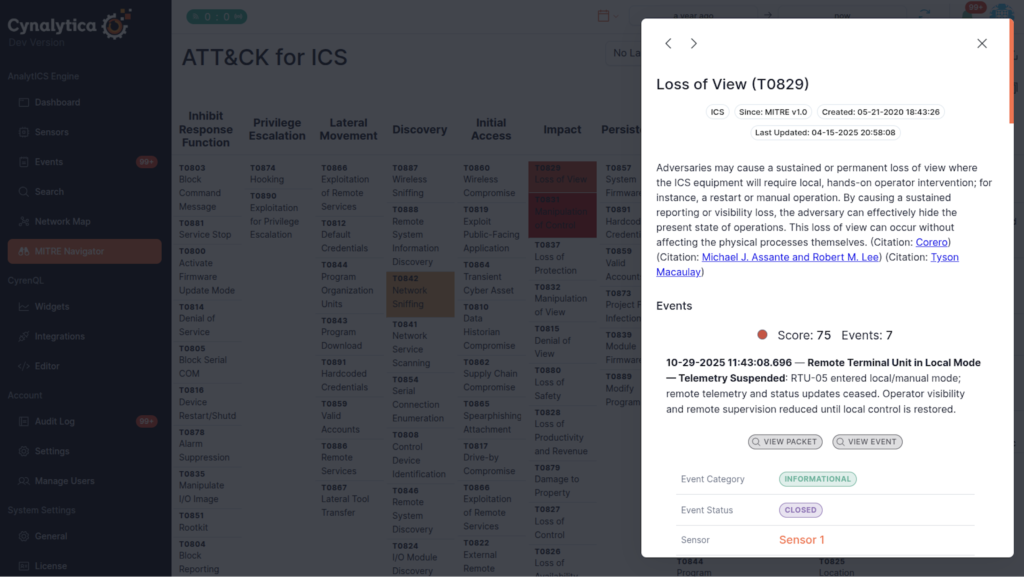
Loss of View with a real detection, a score, seven events and the pivot to the packet
The Problem it Solves
An alert queue tells you what fired. It does not tell you what happened
Industrial environments generate alerts faster than anyone can read them, in a chronological list where a rogue master, a spoofed report, and a session reset arrive as three unrelated rows. The pattern connecting them is exactly what a queue cannot show you.
The Difference – Your Environment
The matrix is populated by your telemetry, not by hand
Technique tiles carry counts and scores drawn from events the Engine actually observed. The matrix is a current picture of your environment rather than an assessment someone wrote last quarter.
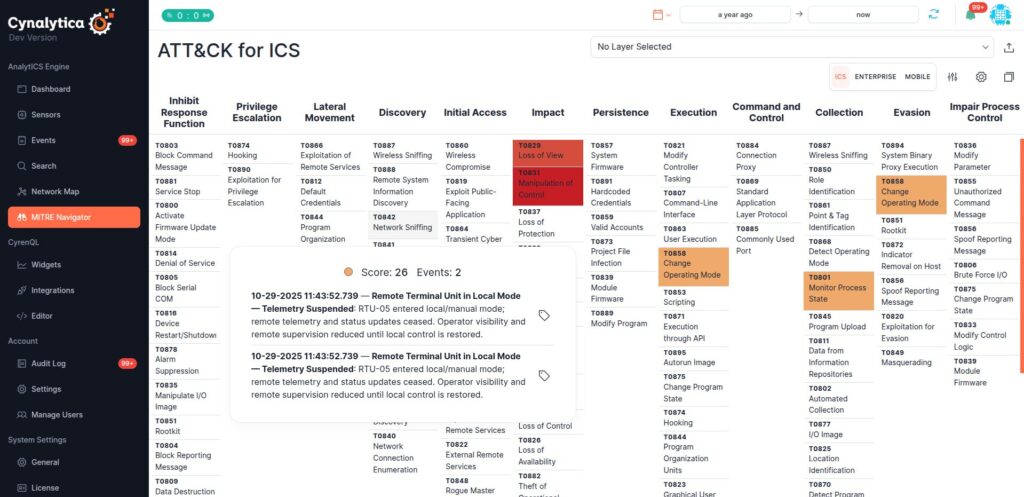
A technique tile carrying a score and the event behind it
It reaches below Level 3, where the other tools do not
The events feeding the matrix come from analog, serial, and IP monitoring. Techniques that manifest at the physical and serial layers, where most ICS tooling has no visibility, can be evidenced rather than assumed.
Every technique leads to to the packet
From a technique tile to the matching events to the underlying packet, without leaving the Engine. The definition, citations, and adversary-specific detail sit in the same panel, so an analyst is not switching to a browser tab mid-investigation.
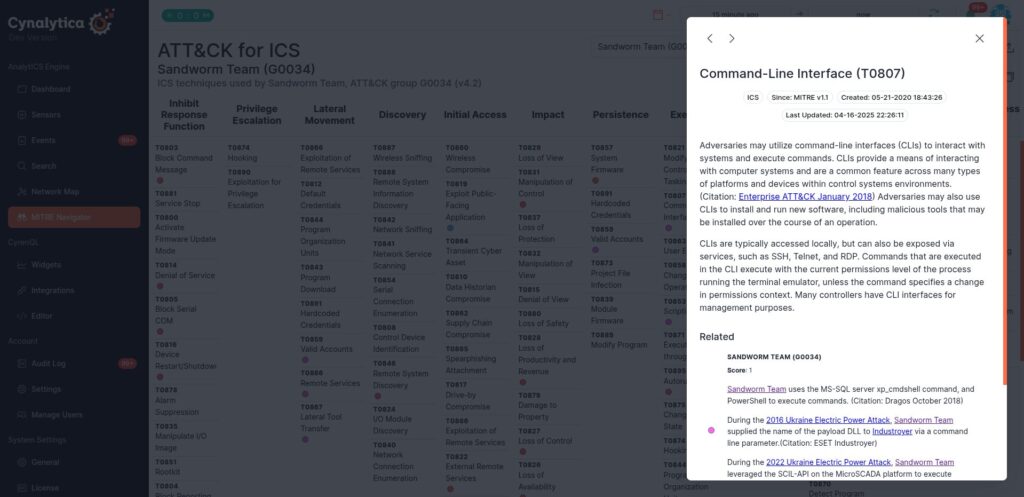
Technique detail with the MITRE definition, citations, and adversary-specific procedures in one panel
Adversary and campaign layers
Select a threat group, campaign, or piece of malware and the matrix highlights the techniques attributed to it. Use it to hunt for behaviors you do not normally see, and to check whether you have coverage where a relevant adversary is known to operate.
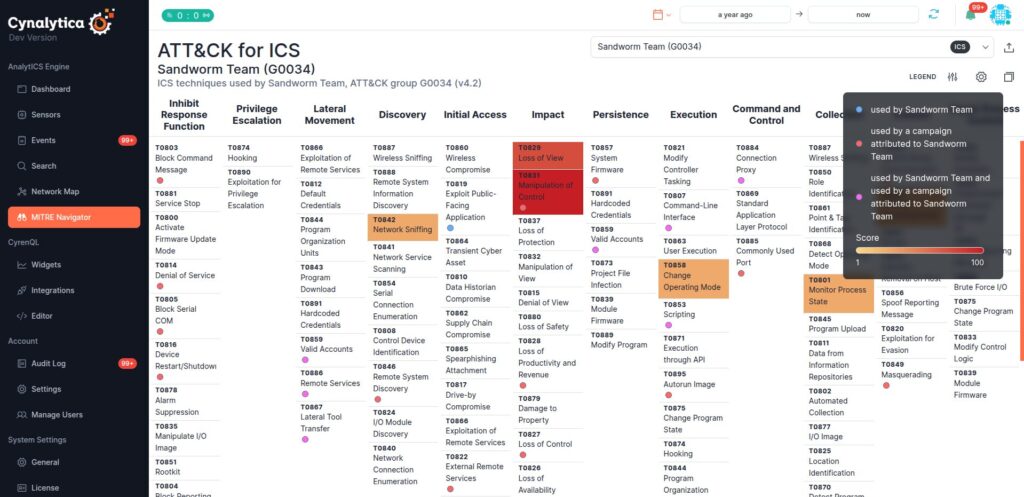
An adversary layer applied to the matrix, with the legend explaining the overlay.
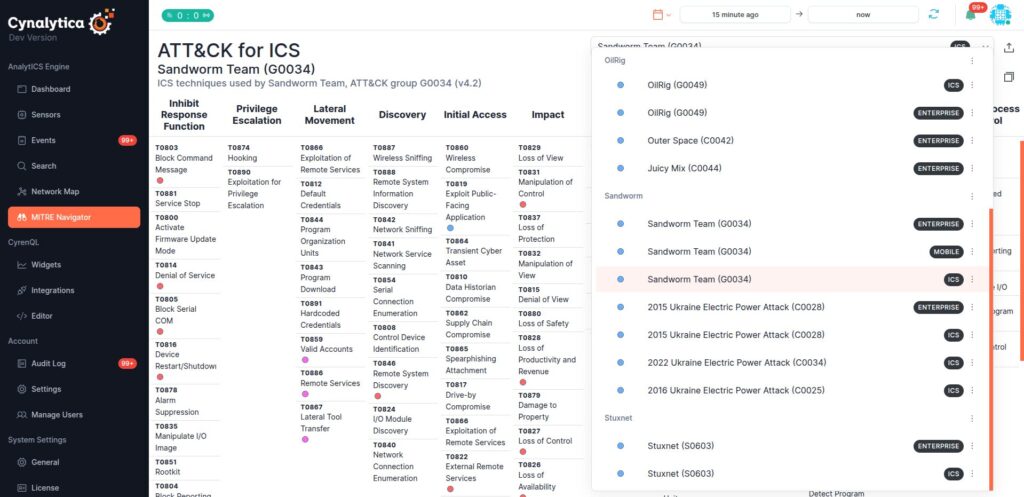
The layer selector. Groups, campaigns, and malware, each available for ICS, Enterprise, or Mobile.
IT and OT in one place
Adversary groups operate across both. Switch between the ICS, Enterprise, and Mobile matrices with the same layer selected and see how enterprise activity precedes impact in the control environment.
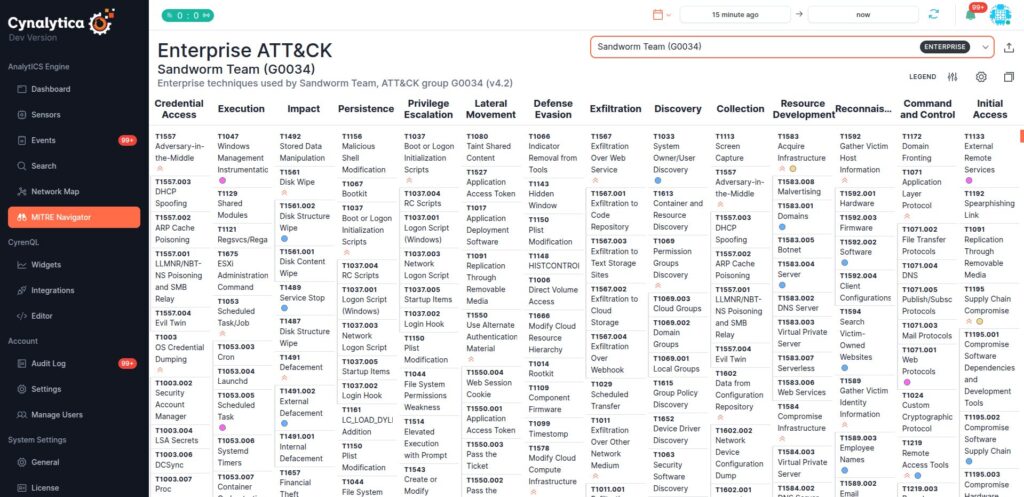
The same adversary layer in the Enterprise matrix. Place beside the ICS overlay above so the pair reads as one idea.
How your workflow improves
Analysts start from the matrix rather than the queue, working from techniques with new activity and pivoting to evidence. Hunters select a layer for an adversary relevant to their sector and look for techniques they never see, which is usually a visibility gap rather than good news. Engineers use techniques accumulating benign events to tune thresholds, and techniques with no detections to decide what to build next. Leadership gets tactic-level summaries in a taxonomy that means the same thing to everyone in the room.
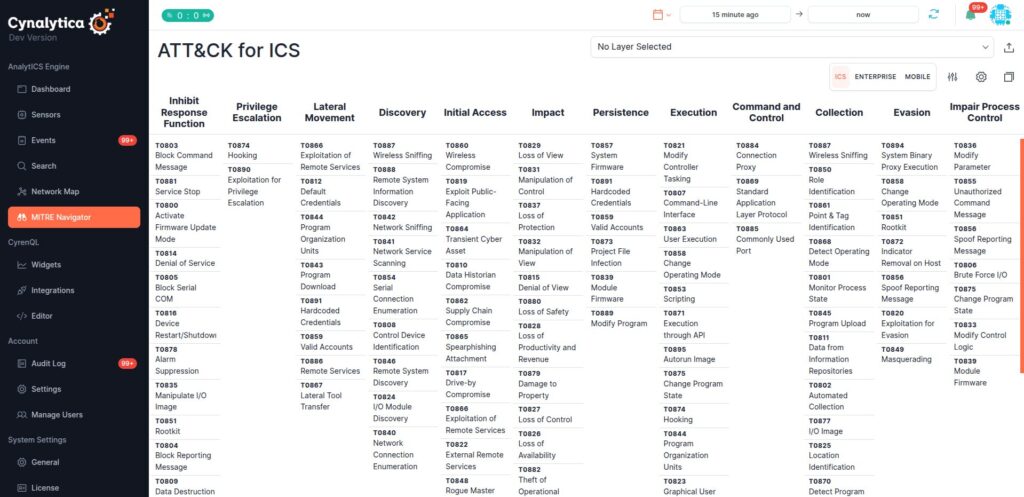
The full ICS matrix, for scale, once the reader knows what makes it different.
See it with your own traffic
ATT&CK® for ICS mapping is included in the AnalytICS Engine.
MITRE ATT&CK® and ATT&CK® are registered trademarks of The MITRE Corporation